Key Takeaways
- 01 Gantt charts provide clear visibility into project timelines, deadlines, milestones, and task dependencies.
- 02 Kanban boards make workflow status, bottlenecks, priorities, and active work easier to manage.
- 03 Gantt charts suit structured projects, while Kanban works well for continuous and changing workflows.
- 04 Teams can combine both methods to balance long-term planning with day-to-day execution.
- 05 ChatPM helps teams access project information and make informed decisions with less administrative effort.
When a project starts slipping, what do you look at first: the deadline, the tasks, or the work stuck somewhere in between? And when priorities keep changing, can one view really tell you what needs attention? This is where the Gantt chart vs Kanban decision becomes surprisingly important for teams.
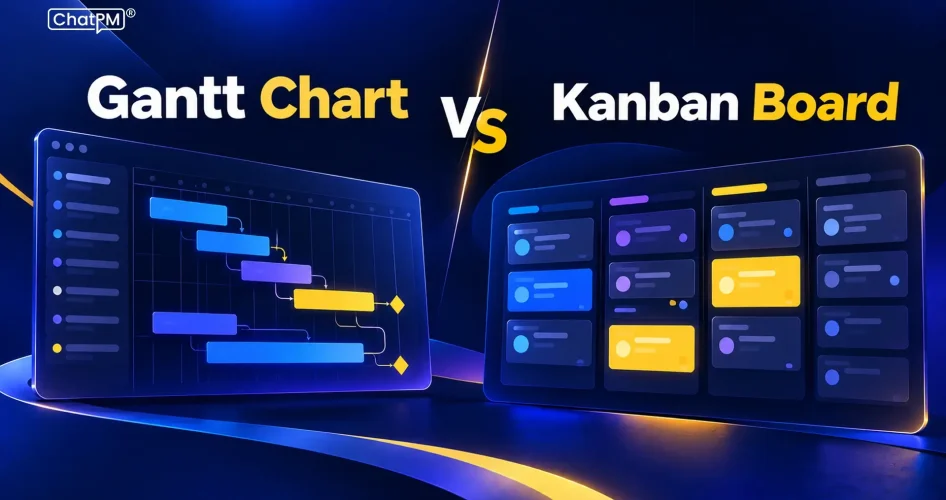
A Gantt chart gives you the bigger picture of dates, dependencies, and schedules, while a Kanban board shows how work is moving through each stage. Neither is automatically better; the right choice depends on your project and the visibility your team needs. In this blog, we’ll compare both methods and when to use each.
Ready to take your project management to the next level?
Schedule a demo to see how ChatPM can help your team plan, collaborate, track, and manage projects more efficiently.
What Is a Gantt Chart?
When a project has several tasks moving at different times, it can be difficult to see how everything fits together.
A Gantt chart brings that timeline into one view. Each task is placed against dates, making it easier to see when work should start, when it should finish, and how tasks connect.
This makes Gantt charts especially useful for projects where timing matters. Teams can track deadlines, milestones, task durations, and dependencies while comparing planned progress with actual progress. In Gantt chart project management, this timeline view helps project managers spot scheduling conflicts, understand the impact of delays, and keep everyone aligned around the expected delivery date.
What Is a Kanban Board?
What happens when the plan looks fine on paper, but half the team is waiting on something before they can move forward?
A Kanban board makes those situations easier to spot. Instead of arranging work around dates, it shows tasks as cards moving through stages such as To Do, In Progress, Review, and Done.
The real value of a Kanban board is seeing how work is actually flowing. Teams can identify bottlenecks, limit work in progress, and move priorities around without rebuilding an entire schedule. That makes Kanban project management useful for ongoing work where priorities change and keeping tasks moving matters more than following a fixed timeline.
Gantt Chart vs Kanban: Key Differences
The main difference between a Gantt chart and a Kanban board is how each one helps teams understand their work. A Gantt chart is built around time and project schedules, while Kanban focuses on workflow and how tasks move through different stages.
1. Primary Focus
Gantt charts focus on schedules; Kanban boards focus on workflow.
2. Time Visibility
Gantt charts show dates, durations, and deadlines; Kanban boards do not use time as the primary structure.
3. Dependencies
Gantt charts clearly connect dependent tasks; Kanban boards focus more on task movement.
4. Planning Style
Gantt charts support structured planning; Kanban supports continuous work and changing priorities.
5. Change Management
Gantt schedules may need adjustments when plans change; Kanban allows priorities to shift more easily.
6. Progress Tracking
Gantt charts compare progress against planned dates; Kanban shows tasks based on their current workflow stage.
7. Work in Progress
Kanban uses WIP limits to control active work; Gantt charts generally focus on scheduled tasks and timelines.
8. Best Visibility
Gantt provides a project-wide timeline; Kanban provides a clearer view of day-to-day workflow.
| Comparison Area | Gantt Chart | Kanban Board |
|---|---|---|
| Core Approach | Plans work against a defined timeline | Manages work through a visual workflow |
| Best For | Structured projects with clear delivery dates | Ongoing work with shifting priorities |
| Planning Horizon | Strong for long-term project planning | Strong for current and near-term work |
| Dependencies | Makes task relationships and sequencing visible | Dependency tracking is less central |
| Deadline Management | Gives clear visibility into planned dates | Deadlines can be tracked, but are not the main focus |
| Workload Control | Shows scheduled workload across the project | Uses WIP limits to prevent excessive active work |
| Handling Change | Schedule changes may require replanning | Tasks can be reprioritized with less disruption |
| Progress Visibility | Shows progress against the planned schedule | Shows where each task currently sits |
| Bottleneck Detection | Highlights delays through schedule impact | Makes workflow bottlenecks immediately visible |
| Best Team Fit | Teams coordinating complex, deadline-driven projects | Teams managing continuous, fast-changing workflows |
| Key Strength | Connects tasks, dates, milestones, and dependencies | Keeps work moving while maintaining workflow visibility |
| Main Limitation | Can become difficult to maintain as plans change | Offers less insight into the complete project timeline |
Gantt Chart: Advantages and Limitations
A Gantt chart is valuable when a project needs structure, clear timing, and coordination across multiple tasks. It gives teams a practical timeline to work against, but that structure can become a challenge when plans change frequently. In visual project management, its strength lies in making the overall project schedule easy to understand.
Advantages
- Clear visibility into project timelines and deadlines
- Makes task dependencies easier to identify
- Helps track milestones and planned progress
- Supports coordination across multiple teams
- Makes schedule delays easier to spot
- Useful for stakeholder progress reporting
Limitations
- Requires upfront planning and regular maintenance
- Frequent changes can make schedules harder to manage
- Large projects can create complex, crowded timelines
- Less suitable for unpredictable, continuously changing work
Compared with the Gantt chart vs Kanban, the Gantt approach is stronger when the project needs a dependable timeline, while its rigidity can become limiting when priorities shift often.
Kanban Board: Advantages and Limitations
A Kanban board keeps attention on the work currently moving through the team. It gives everyone a shared view of what is waiting, what is active, and what is completed. This makes it particularly effective when priorities change often and teams need to manage workload without constantly rebuilding a project plan.
Advantages
- Makes the current workflow easy to understand
- Helps teams identify bottlenecks quickly
- Supports changing priorities with less disruption
- WIP limits help prevent excessive active work
- Keeps task status visible across the team
- Works well for continuous and recurring work
Limitations
- Provides less visibility into long-term schedules
- Complex task dependencies can be harder to represent
- Does not naturally show the full project timeline
- Boards can become cluttered without clear workflow rules
- Requires consistent updates to remain useful
Kanban works best when keeping work moving is the priority. For projects driven heavily by fixed dates and dependencies, a timeline-based approach may provide stronger control.
How ChatPM Improves Project Visibility?
Choosing between a Gantt chart and a Kanban board solves only part of the project management challenge. Teams still need accurate information about schedules, tasks, risks, actions, costs, and progress.
ChatPM brings these project areas into an AI-powered conversational experience, helping teams access project information and stay aligned without constantly switching between different project updates.
Where ChatPM Helps:
1. Faster Project Updates
Get project information through natural conversations instead of searching across multiple updates.
2. Schedule Visibility
Access schedule-related information and understand project progress more quickly.
3. Task Tracking
Keep track of actions and tasks that require attention.
4. Risk Awareness
Surface project risks and issues that could affect delivery.
5. Centralized Information
Connect key project areas such as Scope, Cost, Schedule, Risk, Meetings, Actions, Issues, Goals, and KPIs.
6. Better Decisions
Use accessible project data to understand current conditions and make informed project decisions.
7. Less Administrative Effort
Reduce the time project teams spend gathering and organizing routine project information.
Whether teams rely on a Gantt chart, a Kanban board, or a combination of both, ChatPM helps make the underlying project information easier to access, understand, and act on.
Which Project Management Approach Fits Your Team Best?
Choosing between Gantt chart vs Kanban depends on how your team plans and delivers work. Gantt charts provide stronger timeline and dependency visibility, while Kanban boards support flexible workflows. For complex projects, combining both can provide balanced planning, execution, and visibility.
ChatPM helps teams keep essential project information accessible across schedules, tasks, risks, costs, meetings, and actions. With an AI-powered conversational approach, teams can spend less time gathering updates and more time making informed project decisions and keeping work moving forward.