Key Takeaways
- 01 Project management integrations connect tools and keep important project information accessible.
- 02 Connected workflows reduce manual updates, duplicate work, and communication gaps.
- 03 Teams can improve visibility by linking tasks, conversations, files, and project updates.
- 04 Choosing integrations based on workflow gaps prevents unnecessary technical complexity.
- 05 A structured implementation helps teams build reliable and scalable project workflows.
Project teams rarely work inside one tool. Tasks may sit in project platforms, conversations happen in Microsoft Teams, files live in SharePoint, and development updates come through Jira or GitHub. Without effective project management integrations, teams spend valuable time moving information between systems instead of moving projects forward.
Connected tools create a smoother flow of information across the project lifecycle. Teams can reduce duplicate updates, improve visibility, keep conversations connected to work, and make decisions with better context. In this blog, we’ll explore why project management integrations matter, the key types, and how to implement them effectively. Let’s begin!
What are Project Management Integrations?
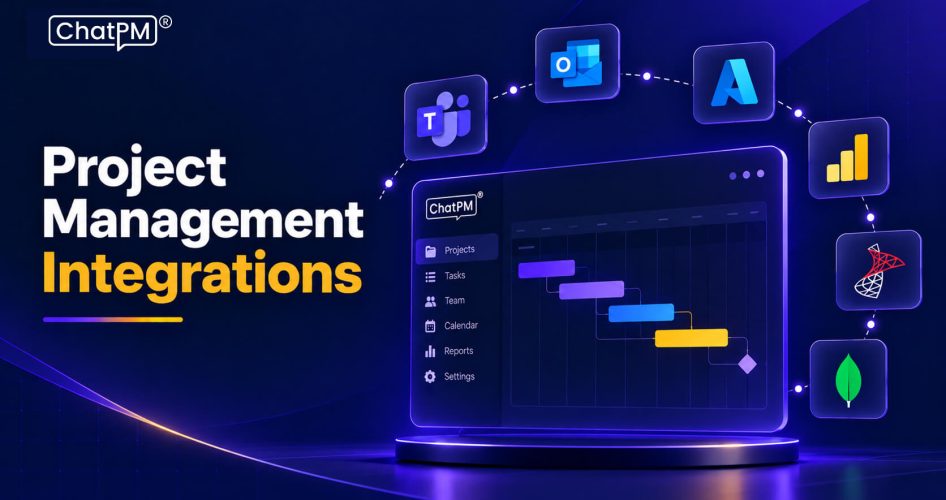
Project management integrations connect your project management platform with other tools your team already uses. These project management software integrations allow tasks, updates, files, notifications, and other information to move between platforms without repeated manual entry.
For example, a Microsoft Teams conversation can trigger a project task, while development updates from Jira or GitHub can stay connected to project progress. Unlike simple import or export, integrations create an ongoing connection between tools, helping teams maintain consistent information across their workflow.
Why Do Project Management Integrations Matter?
Disconnected tools create gaps in how project information moves across teams. A task may be updated in one platform while the latest discussion sits in a chat, leaving project managers to chase information and reconcile different versions of the same update.
Effective project management integrations connect these workflows and reduce unnecessary manual coordination. Teams can:
1. Reduce duplicate data entry and repetitive updates
2. Keep project information easier to access
3. Improve visibility across departments
4. Reduce communication gaps and missed handoffs
5. Give stakeholders clearer project status
6. Support faster decisions with connected information
When the right tools work together, project teams can spend less time managing information across platforms and more time managing the actual work.
Key Benefits of Project Tool Integrations
Tool integrations help teams connect everyday work without constantly switching between platforms. The main benefits include:
1. Less Manual Data Entry
Tasks, updates, and information can move between connected tools automatically, reducing repetitive administrative work.
2. Faster Decisions
Teams can access task details, conversations, files, and progress updates with less time spent searching across platforms.
3. Better Project Visibility:
Connected systems give project managers and stakeholders a clearer view of current progress, upcoming work, and potential delays.
4. Improved Accountability
Linking conversations, tasks, and deliverables makes responsibilities clearer and helps teams follow up on pending work.
5. More Efficient Reporting
Connected project data can simplify reporting and help teams track progress, workloads, timelines, and project performance.
6. Stronger Team Collaboration
Marketing, development, design, operations, and other teams can share relevant updates without repeatedly transferring information between tools.
Common Types and Examples of Project Management Integrations
Different teams use different tools across planning, communication, development, documentation, and reporting. Workflow integrations connect these systems, so information can move between them with less manual effort.
1. Communication Integrations
Connect platforms such as Microsoft Teams and Slack with project tools to share updates, create tasks, and keep project discussions connected to ongoing work.
2. Task Management Integrations
Connect tools such as Asana, Trello, Monday.com, ClickUp, or Notion to coordinate tasks, deadlines, assignments, and status updates across platforms.
3. Development Integrations
Integrate Jira, GitHub, GitLab, or Linear to connect development tasks with issues, code changes, pull requests, and other technical updates.
4. Design Integrations
Tools such as Figma and Miro can connect design files, feedback, and collaboration activities with relevant project tasks.
5. File and Documentation Integrations
Google Drive, Dropbox, and SharePoint can connect project documents and files with the tasks and teams that need them.
6. Time and Finance Integrations
Time-tracking and accounting platforms can connect work hours, project costs, billing information, and financial reporting.
7. Automation Integrations
Platforms such as Zapier and Make can connect tools that lack native integrations and automate repetitive workflow actions.
What Happens When Your PM Tools Don’t Integrate?
When project platforms operate separately, important information can become scattered across different systems. Without effective project tool integrations, teams may face:
1. Scattered Updates
Project information remains divided between chats, emails, task platforms, and documents.
2. Repeated Data Entry
Teams manually copy tasks, status updates, and other information between tools.
3. Poor Project Visibility
Managers may struggle to see the latest progress without requesting updates from different teams.
4. Missed Handoffs
Important decisions or changes can get lost when work moves between disconnected platforms.
5. Unclear Project Status
Different tools may contain conflicting information, making it harder to identify the current status.
6. Hidden Work
Teams may manage parts of a project outside the main system, creating gaps in project tracking.
How to Choose the Right Project Management Integrations?
Choosing the right project management integrations starts with understanding where your current workflow loses time or information. Consider these factors before connecting multiple tools:
1. Audit Your Current Tools
List the platforms your team uses and identify where tasks, conversations, files, and updates are currently managed.
2. Identify Workflow Gaps
Find the points where information gets lost, duplicated, delayed, or manually transferred between platforms.
3. Start With Key Bottlenecks
Prioritize integrations that solve your biggest operational problems instead of connecting every available tool.
4. Consider Two-Way Sync
When appropriate, choose integrations that allow updates to flow between platforms and reduce duplicate data entry.
5. Review Security and Permissions
Check access controls, authentication, data handling, and permission settings before connecting business-critical systems.
6. Focus on Team Adoption
Select integrations that fit naturally into existing workflows and are simple enough for teams to use consistently.
7. Plan for Future Needs
Consider whether the integration can support additional users, tools, workflows, and project complexity as your organization grows.
How to Implement Project Management Integrations in 6 Steps?
A structured implementation helps teams connect tools without creating unnecessary complexity. Follow these six steps to build reliable integrations into your project workflow.
1. Map the Workflow
Identify how work moves between teams, tools, and project stages. Note where information is manually transferred, delayed, or frequently missed.
2. Define the Source of Truth
Decide which platform should own key information such as tasks, project status, documents, and deadlines. This prevents conflicting updates across systems.
3. Choose the Right Integrations
Select integrations that address specific workflow gaps. Start with a few high-value connections instead of integrating every tool at once.
4. Configure Permissions and Notifications
Set appropriate access levels and decide which updates should trigger notifications. This keeps teams informed without creating unnecessary notification noise.
5. Test With One Project
Pilot the integration with a single team or project. Check data mapping, task updates, notifications, and synchronization before expanding the setup.
6. Measure and Improve
Track practical results such as reduced manual updates, fewer status requests, faster handoffs, and better task accuracy. Use these findings to refine the workflow over time.
Could Better Project Management Integrations Simplify Your Workflow?
Project management integrations connect the tools teams rely on every day. By reducing manual updates, improving visibility, and keeping information connected, they help teams manage projects with greater consistency and efficiency.
ChatPM brings project communication, tracking, updates, and collaboration into a connected workflow. Its AI-powered capabilities help teams manage project activities efficiently while reducing the effort required to keep information organized and accessible.