Key Takeaways
- 01 APIs connect project management platforms with other business systems and applications.
- 02 Project APIs can automate tasks, updates, reporting, and data synchronization.
- 03 Webhooks help teams receive real-time updates when project events occur.
- 04 API integrations provide greater flexibility for customized project workflows.
- 05 Secure authentication and proper API management help protect project data.
Project teams often rely on multiple tools for tasks, communication, reporting, and delivery. A project management API connects these systems, allowing project data to move between platforms without constant manual updates. It helps teams automate workflows, synchronize information, and extend the capabilities of their project management environment.
As project workflows become more connected, APIs provide the flexibility needed to build custom processes around existing tools. Understanding how they work can help teams choose the right integration approach and avoid unnecessary complexity. In this blog, we’ll explain what a project management API is, how it works, and where it can add value. Let’s begin!
What is a Project Management API?
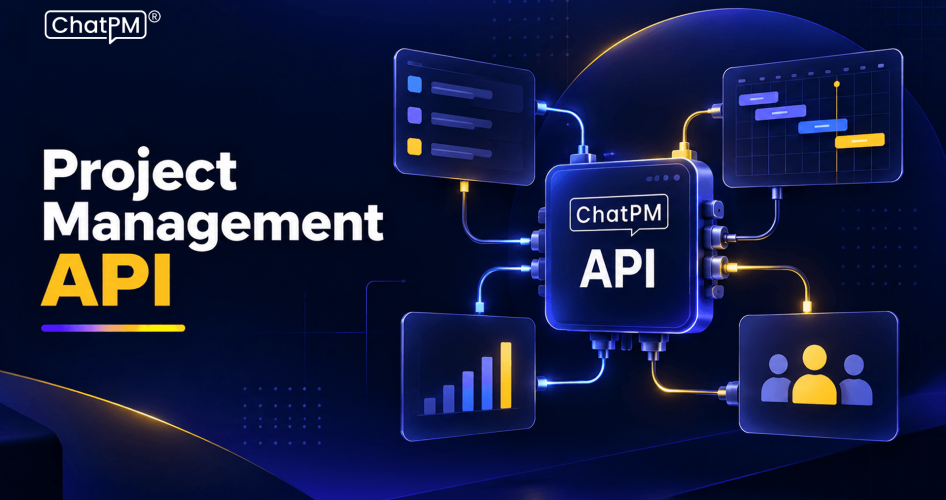
A project management API is a set of rules that allows different software applications to communicate with a project management platform. It lets other systems access and update project data such as tasks, projects, users, comments, deadlines, and status information programmatically.
A project management software API works as a communication layer between applications. For example, a CRM can send project details to a project management platform when a deal closes, or a reporting tool can retrieve project data for customized dashboards. Most APIs use secure requests and return structured data, often in JSON format.
Unlike a standard integration that comes with predefined features, an API gives developers greater control over how systems exchange data and automate project workflows.
How Does a Project Management API Work?
A project API works by allowing one application to send a request to another application and receive the required project data or action in response. This communication usually happens through secure HTTP requests.
The basic process typically involves these steps:
1. Authentication
The connected application verifies its identity using an API key or OAuth credentials.
2. API Request
The application sends a request to a specific endpoint, such as retrieving projects or creating a task.
3. Processing
The project management platform validates the request and processes the requested operation.
4. API Response
The platform returns the requested information or confirms that the action was completed.
5. Workflow Execution
The connected system uses the response to continue the automated workflow.
For example, when a customer signs a contract, a connected system can send project details through the API and automatically create a new project with predefined tasks, deadlines, and assignments.
What Can You Do with the Project Management API?
A project API gives teams programmatic access to project information and actions. Instead of updating every task manually, developers can connect project data with other business systems and automate routine workflows.
1. Create
Add projects, tasks, subtasks, milestones, and assignments automatically.
2. Read
Retrieve task status, deadlines, comments, users, and project details.
3. Update
Change task status, update deadlines, reassign work, or modify project information.
4. Delete
Remove or archive outdated tasks and records when required.
5. Search and filter
Retrieve specific project data for reporting, dashboards, or analysis.
6. Webhooks
Receive notifications when important events occur, such as a task being completed or updated.
These capabilities make APIs useful for building custom workflows that connect project management platforms with the rest of a company’s technology stack.
Why Do Teams Use Project Management APIs?
Teams use PM APIs when standard features and built-in integrations cannot fully support their workflows. An API provides greater control over how project information is shared, updated, and used across different business systems.
1. Automate repetitive work
Trigger task creation, status updates, notifications, and other actions automatically.
2. Connect business systems
Sync project data with CRM, finance, HR, support, or other internal platforms.
3. Build custom dashboards
Send project information to reporting tools for clearer performance and delivery insights.
4. Improve data consistency
Keep important project information synchronized across connected applications.
5. Support advanced workflows
Build custom processes based on specific business rules and operational requirements.
6. Enable AI-driven workflows
Make relevant project data available to AI assistants and other intelligent applications.
What Are the Common Types of Project Management APIs?
PM APIs can use different approaches depending on how applications need to exchange data. Understanding these types helps teams choose the right method for connecting their project tools with other systems.
1. REST APIs
Use standard HTTP requests to create, retrieve, update, or delete project data. They are widely used for project API integration because they are flexible and relatively straightforward to implement.
2. GraphQL APIs
Let applications request only the specific data they need, which can reduce unnecessary data transfer in complex workflows.
3. Webhooks
Send real-time notifications when an event occurs, such as a task being completed or a project being updated.
4. SDKs and client libraries
Provide pre-built tools for languages such as JavaScript, Python, or Java, making API development easier.
5. Authentication APIs
Use methods such as API keys or OAuth 2.0 to control access and protect project information.
Most project management platforms combine REST APIs with webhooks, giving developers both direct data access and event-based automation.
What Are the Real-World Uses of PM APIs?
A project API becomes valuable when teams need project information to move automatically between different business applications. These connections can support everyday workflows while reducing repetitive updates and disconnected data.
1. CRM synchronization
Create a project automatically when a sales opportunity closes, with relevant client and delivery details.
2. Engineering workflows
Connect development activity with project tasks to provide clearer visibility into technical progress.
3. Executive reporting
Send project data to business intelligence tools for customized dashboards and performance reporting.
4. Client portals
Display selected project updates on a client-facing portal without manually duplicating information.
5. Time and billing
Transfer completed work details to billing or financial systems for smoother invoicing.
6. Internal workflows
Connect project data with marketing, HR, operations, and approval processes.
These use cases show how project management integrations can extend the capabilities of existing platforms and create connected workflows across business systems.
Ready to Connect Your Project Workflows With an API?
A project management API connects project data with other business systems, helping teams automate workflows, improve visibility, and build processes around their specific operational needs.
ChatPM helps teams manage projects through an intelligent virtual assistant, making project information and everyday management activities easier to access. Its conversational approach can complement connected project workflows and integrations.