Key Takeaways
- 01
IT teams need centralized project visibility to manage changing priorities, deadlines, dependencies, and responsibilities effectively. - 02
The right software connects planning, task management, collaboration, reporting, and development workflows in one place. - 03
Clear ownership and dependency tracking help teams identify blockers and prevent avoidable project delays. - 04
Automation reduces repetitive project management work while keeping teams informed about important updates and deadlines. - 05
Choosing scalable software with useful integrations helps IT teams manage complex projects as business needs grow.
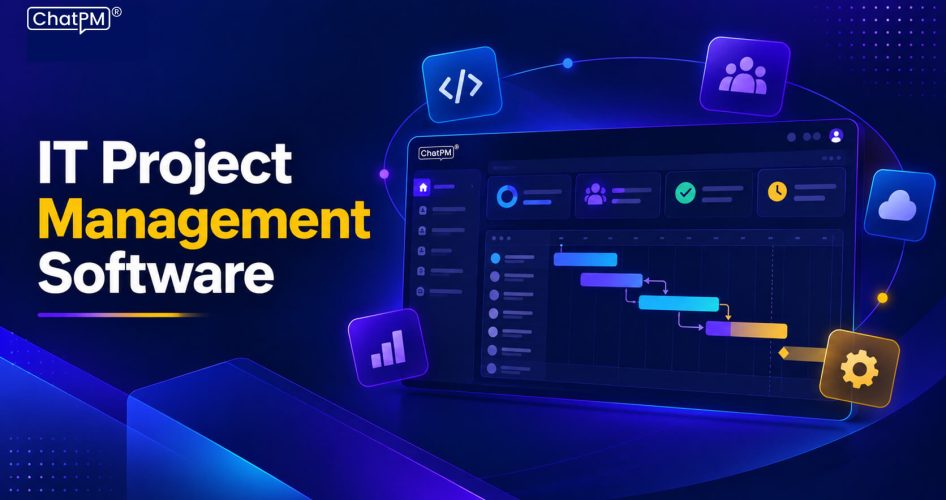
IT projects bring together developers, testers, designers, DevOps teams, security specialists, business teams, and stakeholders. Managing their tasks across separate systems can create confusion as priorities shift, deadlines tighten, and dependencies increase. IT project management software gives teams one central place to plan work, track progress, coordinate responsibilities, and maintain clear project visibility.
Successful IT delivery requires teams to stay aligned throughout every project stage. Managers need clear visibility into responsibilities, deadlines, blockers, and changing requirements without spending hours collecting updates manually. The right approach can simplify coordination, improve accountability, and support faster decisions. In this blog, we explore the key features, benefits, and best practices for managing IT projects effectively.
What is IT Project Management Software?
IT project management software is a centralized platform that helps IT teams organize and manage project activities from planning to completion. It brings tasks, deadlines, team responsibilities, project updates, and documentation into one place, giving managers and team members a clearer view of ongoing work.
Unlike basic task management tools, these platforms are designed to handle the complexity of IT projects. Teams can manage development tasks, testing activities, technical issues, milestones, dependencies, and approvals while following workflows such as Agile, Scrum, Kanban, or hybrid approaches.
Why IT Teams Struggle with Project Management?
IT projects can become difficult to control when teams handle multiple priorities, dependencies, and deadlines at the same time. Common challenges include:
1. Scattered Project Information
Teams often manage tasks, documents, conversations, and updates across different platforms, making information difficult to find.
2. Changing Priorities
New requirements, urgent issues, and shifting business goals can quickly change what the team needs to work on first.
3. Complex Dependencies
Development, testing, approvals, security checks, and deployment often depend on each other, making delays harder to manage.
4. Limited Resource Visibility
Managers may struggle to see who is available, overloaded, or assigned to multiple projects at once.
5. Poor Progress Tracking
Without centralized updates, it becomes difficult to understand actual project progress, pending work, and potential delays.
6. Manual Status Reporting
Collecting updates from different team members and preparing reports can consume valuable project management time.
How IT Project Management Software Improves Software Development?
For development teams, the right platform can connect planning, execution, testing, and delivery while keeping everyone aligned.
1. Better Sprint Planning
Teams can organize tasks into sprints, set priorities, assign ownership, and manage workloads according to project goals.
2. Faster Issue Resolution
Developers and testers can record bugs, assign issues, track fixes, and monitor unresolved blockers from one place.
3. Clear Development Visibility:
Project managers can monitor progress across development, testing, reviews, and deployment without relying on frequent manual updates.
4. Stronger Team Coordination
Developers, QA teams, DevOps, product managers, and stakeholders can stay aligned through shared tasks, updates, and project information.
5. Improved Deadline Control
Teams can track milestones, dependencies, and pending activities to identify delays before they affect delivery.
6. Better Decision Making
Centralized project information helps managers understand current progress, resource needs, risks, and upcoming priorities.
Key Features to Look for in IT Project Management Tools
The right platform should support the complete IT workflow while giving teams better control over tasks, resources, timelines, and project performance.
1. Task and Issue Management
Create, assign, prioritize, and track tasks, bugs, requests, and technical issues with clear ownership and deadlines.
2. Project Planning and Scheduling
Plan milestones, timelines, deliverables, and schedules to keep projects organized and aligned with business goals.
3. Dependency Management
Identify relationships between tasks and understand how delays in one activity could affect connected work.
4. Resource Management
Monitor team workloads, identify capacity issues, and allocate resources based on project requirements and priorities.
5. Team Collaboration
Keep project discussions, updates, files, and important information accessible to everyone involved in the project.
6. Workflow Automation
Automate repetitive activities such as notifications, task assignments, reminders, approvals, and routine status updates.
7. Reporting and Dashboards
Track project progress, workloads, deadlines, risks, and performance through centralized dashboards and reports.
8. Tool Integrations
Connect project workflows with development, communication, documentation, and business tools to reduce duplicated work and improve visibility.
How IT Project Management Software Improves Project Tracking?
Better visibility helps IT teams understand what is happening across projects and respond quickly when priorities or timelines change.
1. Real-Time Progress
Teams can see completed, ongoing, and pending work without waiting for manual status updates.
2. Clear Task Ownership
Managers can identify who is responsible for each task and follow its progress through completion.
3. Early Risk Detection
Dlays, blockers, and missed milestones become easier to identify before they affect the wider project.
4. Centralized Updates
Project information stays organized in one place, reducing confusion caused by scattered spreadsheets, messages, and documents.
5. Performance Visibility
Managers can review project progress, team workloads, and delivery timelines to make informed decisions.
6. Better Stakeholder Reporting
Clear dashboards and project updates make it easier to communicate progress and concerns with stakeholders.
Best Practices for Effective IT Project Tracking
Using the right approach helps teams get consistent value from their project workflows. These practices can make project tracking more accurate, transparent, and useful:
1. Set Clear Ownership
Assign every task to a specific person or team with clear responsibilities and expected outcomes.
2. Break Down Complex Work
Divide large projects into smaller tasks, milestones, and deliverables that are easier to manage and monitor.
3. Keep Status Updated
Encourage teams to update task progress regularly so managers always have an accurate project view.
4. Track Dependencies
Identify tasks that rely on other activities to spot potential blockers and prevent avoidable delays.
5. Use Centralized Dashboards
Use IT project management software to monitor deadlines, workloads, progress, and project health from one place.
6. Automate Routine Updates
Reduce manual work by automating reminders, notifications, assignments, approvals, and recurring status changes.
How to Choose the Right IT Project Management Software?
Choosing a platform requires looking beyond basic task management. IT teams should consider how well the software fits their workflows, team structure, and long-term project needs.
1. Understand Project Requirements
Consider project size, team structure, workflows, dependencies, and the level of visibility managers need.
2. Check Methodology Support
Ensure the platform supports Agile, Scrum, Kanban, Waterfall, or the approach your team follows.
3. Evaluate Integrations
Check whether it connects with development, communication, documentation, and other tools your team already uses.
4. Review Reporting
Look for dashboards and reports that provide useful insights into progress, workloads, deadlines, and project risks.
5. Consider Scalability
Choose software that can support more users, projects, workflows, and integrations as your organization grows.
6. Prioritize Usability
A platform should be simple enough for developers, managers, and stakeholders to adopt without creating additional complexity.
Ready to Simplify IT Project Management?
Effective project management gives IT teams greater visibility, stronger coordination, and better control over deadlines, resources, and priorities. With centralized workflows and consistent tracking, teams can reduce confusion, identify issues earlier, and keep projects moving toward successful delivery while supporting changing business requirements.
ChatPM helps IT teams manage projects through connected workflows, intelligent automation, and centralized project visibility. It brings tasks, schedules, risks, meetings, issues, documents, and KPIs together, helping project managers make faster decisions and keep teams aligned throughout project delivery.