Key Takeaways
- 01 Microsoft Project is well suited for detailed scheduling, dependencies, and structured project planning.
- 02 TModern project management software combines planning with collaboration, automation, reporting, and integrations.
- 03 The right platform depends on project complexity, team workflows, technology stack, and collaboration needs.
- 04 Teams can consider Microsoft Project alternatives when simpler project execution and collaboration are priorities.
- 05 ChatPM combines AI-assisted planning, tracking, reporting, and project management in one centralized platform.
Microsoft Project remains a powerful choice for detailed scheduling, resource planning, and complex project structures. However, teams looking for simpler collaboration often explore Microsoft Project alternatives that combine planning, task management, communication, automation, and reporting in one place. The right choice depends on how your team plans work and manages projects.
Modern project management platforms are designed to make project information easier to access, update, and share across teams. They can reduce the effort involved in maintaining schedules while giving stakeholders clearer visibility into progress. In this blog, we compare Microsoft Project with modern project management software, explore key differences, and examine leading alternatives. Let’s begin!
What is Microsoft Project?
Microsoft Project is a project management and scheduling tool designed to help teams plan, schedule, and manage complex projects. It provides features such as Gantt charts, task dependencies, resource allocation, work breakdown structures, critical path analysis, and project baselines.
The platform is particularly useful when project managers need detailed control over timelines, resources, and dependencies. It can handle projects with multiple tasks, teams, and interconnected activities, making it a familiar choice for organizations with formal project management processes.
However, Microsoft Project primarily focuses on project planning and scheduling. Teams that need broader collaboration, task discussions, workflow automation, document sharing, and real-time updates may look toward modern project management software for a more collaborative approach.
Key Features of Microsoft Project
Microsoft Project includes a range of features for managing detailed project plans, schedules, resources, and dependencies. Its core capabilities include:
1. Gantt Charts
Visualize project timelines, tasks, milestones, and dependencies in a structured view.
2. Task Management
Create tasks, assign responsibilities, set durations, and track project progress.
3. Resource Management
Allocate people and resources while monitoring workloads and availability.
4. Dependency Management
Connect related tasks and understand how changes can affect the overall schedule.
5. Critical Path Analysis
Identify tasks that directly influence the project’s completion date.
6. Project Baselines
Compare planned schedules, costs, and work against actual project performance.
7. Reporting
Generate project reports to monitor timelines, resources, costs, and overall progress.
8. Microsoft 365 Integration
Connect project planning with other Microsoft tools used across the organization.
For teams that need these capabilities alongside simpler collaboration, automation, and broader workflow management, a Microsoft Project alternative may provide a more suitable approach.
What is Project Management Software?
Project management software helps teams plan, organize, execute, and monitor projects through a shared digital workspace. Unlike tools focused heavily on scheduling, modern platforms bring tasks, communication, documents, workflows, reporting, and team collaboration together.
Common features include task boards, timelines, calendars, Gantt charts, automated workflows, file sharing, time tracking, dashboards, integrations, and AI-powered assistance. These capabilities give project managers and team members a central place to manage daily work and monitor progress.
The main difference in project management software vs Microsoft Project is the broader focus. Microsoft Project is strongly centered on structured planning and scheduling, while modern platforms are designed to support ongoing collaboration and project execution across different teams. This makes them useful for startups, agencies, product teams, operations teams, and growing businesses.
Key Features of Project Management Software
Modern project management software combines planning, collaboration, and project tracking in a single workspace. Common features include:
1. Task Management
Create, assign, prioritize, and track tasks across different projects and teams.
2. Team Collaboration
Keep project discussions, updates, files, and feedback accessible to everyone involved.
3. Workflow Automation
Automate repetitive activities such as task assignments, notifications, reminders, and status updates.
4. Multiple Project Views
Use lists, Kanban boards, calendars, timelines, or Gantt charts based on project requirements.
5. Time Tracking
Record time spent on tasks and monitor team workloads and project effort.
6. Reporting and Dashboards
Track project progress, deadlines, performance, and resource utilization through visual reports.
7. Integrations
Connect project workflows with communication, productivity, CRM, development, and business applications.
8. AI Capabilities
Use AI for task assistance, summaries, planning, insights, and other project management activities.
Microsoft Project vs Project Management Software: Key Differences
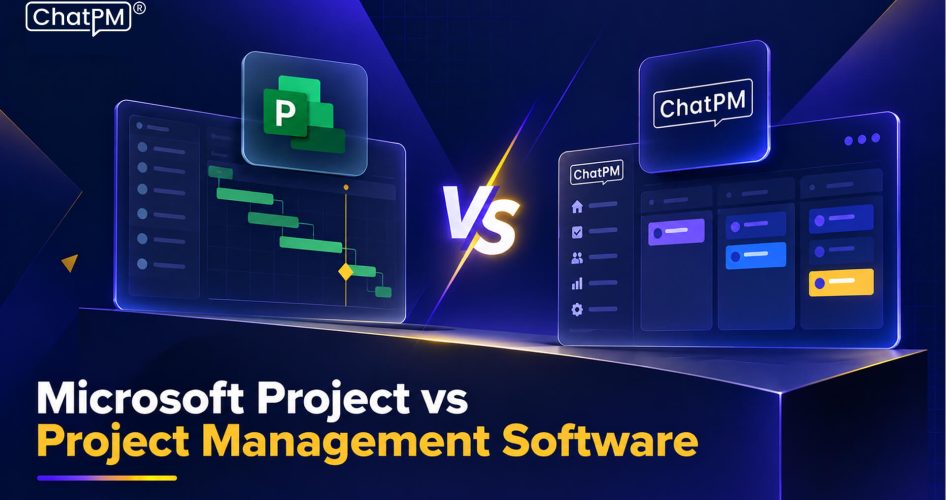
Microsoft Project and modern project management platforms can both support project planning, but they approach project work differently. Microsoft Project emphasizes detailed scheduling, dependencies, resources, and structured project control. Modern platforms typically combine these capabilities with collaboration, automation, reporting, and everyday team workflows.
For teams researching Microsoft Project alternatives, the differences become clearer when comparing how each type of tool handles planning, collaboration, usability, integrations, and project execution.
| Factor | Microsoft Project | Modern Project Management Software |
|---|---|---|
| Primary Focus | Detailed project planning and scheduling | Planning, collaboration, and project execution |
| Task Management | Structured task and schedule management | Tasks, workflows, assignments, and team coordination |
| Scheduling | Advanced scheduling and dependency management | Timelines, calendars, Gantt charts, and simpler scheduling |
| Collaboration | More focused on project-level coordination | Built around continuous team collaboration |
| Learning Curve | Can require significant training | Generally designed for easier adoption |
| Automation | Available through Microsoft ecosystem capabilities | Often includes built-in workflow automation |
| Integrations | Strong integration with Microsoft products | Broad integrations across business applications |
| Reporting | Detailed project and schedule reporting | Dashboards, visual reports, and team-level insights |
| AI Capabilities | Increasing AI capabilities within Microsoft’s ecosystem | Varies by platform, with many tools adding AI features |
| Best Suited For | Complex schedules and structured project environments | Cross-functional teams managing projects collaboratively |
When Should You Choose Microsoft Project?
Microsoft Project can be a practical choice when project planning requires detailed scheduling, resource management, and dependency tracking. It can suit organizations that already follow structured project management processes and need granular control over complex schedules.
You may consider Microsoft Project when:
1. Complex scheduling is essential
Projects involve extensive dependencies, milestones, timelines, and critical-path activities.
2. Resource planning is a priority
Project managers need detailed visibility into resource allocation, workloads, and availability.
3. Formal project controls are required
Teams rely on baselines, structured work breakdowns, and detailed schedule tracking.
4. Microsoft 365 is already central
Organizations can benefit from working within an established Microsoft technology environment.
5. Large projects need structured planning
Construction, engineering, IT, and other complex projects may require advanced **project planning tools** for detailed schedule management.
6. Experienced project managers manage schedules
Teams already familiar with Microsoft Project can use its advanced capabilities without introducing a new platform.
When Should You Use Project Management Software?
Project management software can be useful when teams need to coordinate daily work, communicate across departments, and keep project information accessible in one place. It is especially relevant when detailed scheduling is only one part of the project management process.
You may consider modern project management software when:
1. Collaboration is a priority
Teams need a shared space for tasks, discussions, files, updates, and project information.
2. Projects involve multiple teams
Marketing, product, sales, operations, and development teams need to coordinate their work.
3. You want simpler project tracking
Team members need an easy way to view assignments, deadlines, priorities, and progress.
4. Automation can reduce repetitive work
Recurring tasks, notifications, approvals, and status updates can be automated.
5. You want AI-assisted project management
Teams can use AI capabilities for planning, summaries, task management, reporting, and project insights.
6. Microsoft Project feels too specialized
Teams exploring Microsoft Project alternatives may prefer a platform that combines planning with collaboration and everyday project execution.
Which Project Management Approach Fits Your Team Best?
Microsoft Project remains useful for structured scheduling, resource planning, and complex project control. Modern platforms focus more on collaboration, automation, integrations, and everyday execution. Understanding these differences helps teams evaluate Microsoft Project alternatives based on their workflows, project complexity, and management needs.
ChatPM brings AI-assisted project management into a centralized platform, helping teams plan, track, and manage projects with less manual effort. Its capabilities support tasks, schedules, risks, meetings, documents, and reporting, giving teams a more connected way to manage project work.
Frequently Asked Questions
1. What should teams consider when comparing Microsoft Project alternatives?
Consider project complexity, collaboration needs, integrations, automation, ease of adoption, pricing, and how much scheduling control the team actually requires.
2. Can modern project management software handle complex projects?
Yes. Many platforms support dependencies, Gantt charts, timelines, resource planning, reporting, and automation while keeping collaboration accessible across teams.
3. Is switching from Microsoft Project difficult for established teams?
The transition depends on existing workflows, project data, integrations, and team familiarity. Proper planning and gradual adoption can make the change easier.
4. Does AI make project management software more useful?
AI can reduce repetitive work by supporting planning, summaries, task management, reporting, and project insights, helping teams spend less time on manual coordination.
5. When does ChatPM make sense for project management?
ChatPM can suit teams looking for AI-assisted planning, task tracking, risk management, meetings, documents, reporting, and project workflows within one centralized platform.