Key Takeaways
- 01
A custom ChatGPT agent can handle scheduling, tracking, and reporting automatically for project managers. - 02
Defining clear SMART goals before training ensures the agent delivers focused and useful results. - 03
High-quality, well-organized project data is the foundation of an effective ChatGPT agent. - 04
Regular testing, user feedback, and prompt refinement make the agent smarter over time. - 05
Proper integration with existing project tools makes the AI agent a practical daily asset.
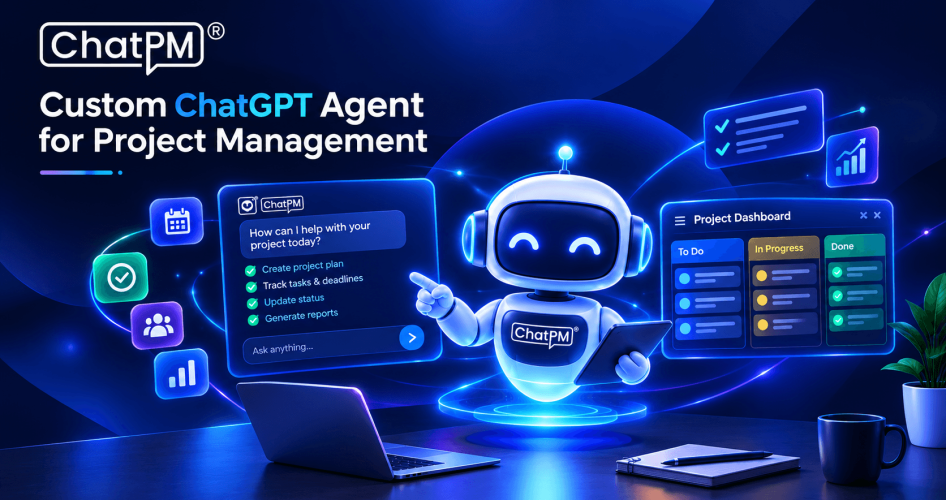
Want to use ChatGPT for project management? A custom ChatGPT agent can help project managers analyze project data, track tasks, create status reports, identify risks, and support everyday workflows.
In this guide, you’ll learn how to train a ChatGPT agent for project management, what project data to provide, how to create effective instructions, how to test the agent, and how to connect it with your existing project management tools.
If you don’t want to build and maintain an AI agent yourself, ChatPM Pro provides AI-powered project management capabilities designed to support these workflows.
Want to build a smarter AI agent for your projects? Schedule a ChatPM Pro demo and see how AI can automate planning, tracking, and team collaboration.
What Is a Custom ChatGPT Project Management Agent?
A ChatGPT Agent is a more advanced version of the regular ChatGPT tool. Instead of only generating text responses, it can understand what a user wants, plan the next steps, and take action on its own. For example, a ChatGPT Agent like OpenAI’s “Operator” can connect with other tools, websites, or software to complete tasks automatically. This means it can help with scheduling, searching for information, updating records, or even interacting with other systems. By working like this, a ChatGPT Agent makes daily work faster and more efficient. It is designed to act like a smart assistant for real-world tasks.
Steps to Build a Custom ChatGPT Project Management Agent
1. Define Goals and Scope
First, clarify where an AI agent can help you with your work in project management. Scan across tasks such as scheduling meetings, assigning resources, tracking progress, or helping the team with updates. Clarifying the parameters of what you want the agent to do eliminates ambiguity for everyone about its role. Set SMART goals; specific, measurable, achievable, relevant, and time-bound that will help you shape your agent’s design and development. A clear scope and strong objectives will support you in developing an AI assistant that enhances your productivity and will provide clarity for the rest of the team.
2. Data Preparation
Collect all project data that matches your goals, such as project plans, status reports, meeting summaries, and communication logs. Include details that show how tasks are assigned, risks are managed, and progress is tracked. Clean and organize your data to make sure it is accurate and consistent, removing any duplicate or outdated information. Protect privacy by anonymizing sensitive data before training begins. High-quality, well-structured data will help your ChatGPT agent learn the context and language of your projects, ensuring it provides useful, relevant, and accurate assistance when handling real project tasks.
3. Training the ChatGPT Agent
Use OpenAI’s API to customize your ChatGPT model with your project data, so it understands your unique workflows. Fine-tune the model to pick up on your preferred communication style, terms, and reporting formats. Develop clear prompts that guide the agent to complete specific tasks correctly, such as updating schedules or generating status reports. Include context within prompts so the agent understands project timelines, stakeholders, and special requirements. Keep improving the model by testing it regularly, updating its training data, and refining prompts to match any changes in your processes or team needs.
4. Evaluation and Refinement
Decide how you will measure your agent’s performance by setting clear metrics like response accuracy, relevance, and usefulness. Test your agent in real situations, such as tracking project milestones or answering team queries. Monitor how well it performs and listen to feedback from users to spot areas that need improvement. Update your training data and prompts based on what you learn to make the agent smarter over time. Always include human oversight to review and approve the agent’s outputs, ensuring the final results stay reliable and support the project manager’s role.
5. Integration and Deployment
Connect your trained ChatGPT agent with your project management tools, whether it’s Jira, Trello, Asana, or other platforms your team already uses. Make sure your team understands what the agent can do and provides training, so they feel comfortable using it daily. Roll out the agent in phases so you can fix any issues quickly and make improvements as needed. Encourage team feedback to keep the agent aligned with real workflows. When well-integrated, your custom ChatGPT agent becomes a practical tool that helps manage tasks, saves time, and keeps projects on track.
Using a Custom ChatGPT Project Management Agent in Practice
Training a custom ChatGPT agent for project management is more than just adding another tool to your workflow. When you define clear goals, prepare quality data, and fine-tune your agent thoughtfully, you create a smart assistant that fits your team’s daily needs. With the right integration and continuous improvements, an AI agent can help you save time, reduce repetitive work, and keep your projects moving forward smoothly.
If you’re exploring AI-powered support for your projects, ChatPM’s AI agent is a strong example of how this technology can work in real life. Designed specifically for project managers, it helps with tasks like tracking progress, drafting updates, and coordinating teams more efficiently. A well-built agent like ChatPM’s shows how AI can become a trusted partner, making project management smarter and more productive.
Want an AI Agent for Your Project Management Workflow?
Instead of manually analyzing project data, preparing reports and tracking project progress, use an AI-powered project management assistant built around your team’s workflows.