
Key Takeaways
- 01
Project management automation eliminates repetitive administrative work, allowing project managers to focus on strategic decision-making. - 02
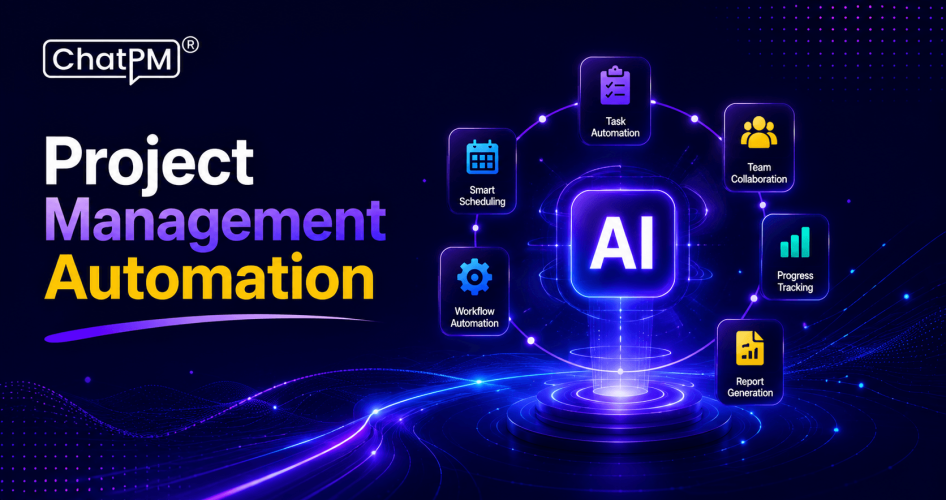
AI automates task assignments, workflow approvals, meeting summaries, status reporting, and progress tracking. - 03
Automated workflows reduce manual errors while improving project visibility and operational efficiency. - 04
Real-time dashboards and AI analytics enable proactive risk management and faster project decisions. - 05
Organizations adopting project management automation can improve delivery speed, resource utilization, and project consistency.
Have you ever asked yourself how do teams undertake complex projects and never miss deadlines, tasks, or updates? One of the largest contributors to this smooth control is project management automation. It lowers the amount of manual labor, eliminates mistakes, and manages to keep teams coordinated without following up every minute. The right arrangement allows managers to make critical decisions as the routine tasks are processed automatically in the background.
With an increasing number of companies resorting to automated project management, they are finding out the extent of clarity and speed it offers to project timelines. It keeps workflows organized, improves how teams share information, and makes each stage progress smoothly without any confusion. This level of organization enables teams to work efficiently and produce high quality outcomes within a shorter time frame.
Project management automation software helps businesses automate repetitive tasks, improve team collaboration, and gain real-time visibility into project progress, making it easier to deliver projects efficiently.
This blog will explore all that you need to know about automation in project management. So, keep reading further!
Ready to automate your project workflows and boost team productivity? Schedule a demo to see how ChatPM Pro simplifies project management with AI-powered automation.
Understanding Project Management Automation Software
Project management automation software uses AI and workflow automation to streamline repetitive project tasks, improve collaboration, manage resources, and track progress from planning to delivery.
This approach connects repeated tasks, like planning or reporting, so they can run smoothly across different projects. It facilitates accuracy, quicker decision-making, and more reliable results. Combined with workflow automation, it provides teams with a predictable method of working with reduced stress and increased concentration.
Key Advantages of Project Management Automation Software
PM automation assists teams to work with more clarity, speed, and consistency and eliminates needless effort. The following are the main benefits that can enable teams to automate project tasks.
1. Higher Productivity
Automation saves time and eliminates repetitive work, allowing teams to spend more time on valuable work. It also enhances confidence because it ensures that everybody is on track with the fundamental objectives.
2. Better Visibility
Shared dashboards and calendars allow teams to monitor the progress with a high level of ease. Such transparency is useful in determining problems at an early stage and maintaining every activity within the timeframes.
3. Stronger Data Quality
Workflow automation minimizes human error by drawing information directly out of the source. Reports remain clean, accurate and reliable with minimal manual processing.
4. Greater Speed and Efficiency
With the approval and updates running automatically, the tasks are accomplished faster. That is where project management automation assists teams to provide work with reduced waiting and reduced delays.
5. Smooth Integrations
The modern tools are compatible with other platforms that your team uses. This saves time on the need to switch between applications and ensures the continuity of project management automation.
6. Easy to Scale
Expanding teamwork does not require an increase in administrative work when the processes operate automatically. Project management automation also means that with fewer efforts, businesses can run a company with a higher degree of control.
Steps to Implement Project Management Automation Software
It is necessary to have a clear way of ensuring that your processes and tools contribute to actual progress rather than introducing additional steps. The following are the main steps of process automation in project management that can steer your team in the right direction.
Successful implementation of project management automation software starts with clear objectives, the right technology, and team adoption to maximize long-term value.
1. Set Clear Goals
It is important to determine what will be the goal of automation in your team before taking any action. When project management is automated, you can either strive to achieve greater precision, reduced costs, or expedited delivery. Specific objectives assist you in evaluating progress in an easy and dependable manner.
2. Start Small and Grow Steadily
Start with automating one or two simple tasks in order to get your team used to it. A small step-by-step approach to project management automation will allow you to test-run without interfering with your daily routine. As soon as you feel comfortable, you will be able to automate additional processes.
3. Train and Support Your Team
Make your team realize how new tools can simplify the work and decrease the stress. Conduct brief and concise training to ensure everybody is ready. When individuals are aware of what to anticipate, they will become more adjusted and utilize automation in a better manner.
4. Monitor Results and Adjust
Automation of project management should be checked frequently to remain helpful and precise. Measure the changes in speed, clarity, and cost in order to determine the level of success of your new system. Update your process whenever you find gaps or new opportunities.
5. Choose the Right Tools
Choose solutions that allow you to automate the processes in project management and align them with the daily needs of your team. Good project management automation tools are used to make tasks interrelate, enhance teamwork, and maintain order of information. Quality tools ensure that workflow automation is simpler and more scaled.
Common Mistakes to Avoid When Automating Projects
Business process automation is capable of producing marvelous results, but only when it is well-planned and properly applied. Here are some of the pitfalls that teams should avoid in the process of ensuring that their projects run smoothly.
1. Automation of unproductive work processes may aggravate issues rather than resolve them, therefore it is advisable to consider processes prior to automation of project management.
2. Making steps without clear objectives may also be a waste of time and resources, so the automation is not so efficient.
3. The adoption of automation due to the tendency to follow the trends may lead to neglect of actual business enhancement.
4. Selecting the tools that are not suitable for your team may slow down proceedings and diminish productivity.
5. Failure to do the proper testing of automation may result in expensive mistakes in live projects.
6. Ignoring the quality of data can produce unreliable results in process automation in project management.
7. Inability to train and engage employees may lead to ineffective adoption and resistance to change.
8. Failure to define roles and responsibilities may result in confusion and delay the benefits of project management automation.
Ready to Simplify Your Workflow with Project Management Automation Software?
Project management automation transforms how teams plan, execute, and track work by reducing manual effort, improving accuracy, and enhancing collaboration. By following clear steps, choosing the right tools, and avoiding common mistakes, businesses can achieve faster delivery, better results, and a more organized workflow while keeping teams focused and productive.
ChatPM Pro is an AI-powered project management automation software that helps teams automate workflows, manage tasks, improve collaboration, and deliver projects faster with greater accuracy.