Key Takeaways
- 01
Plan onboarding carefully to reduce confusion and maintain team productivity. - 02
Clear communication builds confidence and encourages faster software adoption. - 03
Gradual implementation minimizes disruption and supports smoother project transitions. - 04
They offer proactive insights by connecting data across multiple platforms, unlike static traditional tools. - 05
ChatPM simplifies onboarding with AI, collaboration, and real-time project visibility.
Many businesses invest in better project management tools but struggle during implementation. Teams often resist change, processes become confusing, and productivity temporarily drops. A structured approach helps employees adapt faster while keeping projects on track throughout the transition.
Successful onboarding new project management software is not only about learning a new platform. It is about preparing people, improving workflows, and creating confidence in daily operations. With the right rollout strategy, businesses can achieve faster adoption and long-term success.
Ready to streamline your projects? Book a personalized demo with ChatPM and see how our AI-powered project management software works for your business.
What is Project Management Software Onboarding?
Project management software onboarding is the process of helping employees successfully adopt a new project management platform. It includes planning the transition, training users, migrating project data, introducing new workflows, and providing continuous support until the entire team feels comfortable using the system.
A successful onboarding process minimizes confusion, reduces downtime, and encourages employees to embrace the new system instead of avoiding it. Rather than focusing only on technical setup, businesses should also address communication, expectations, and user confidence.
Why a Structured Onboarding Process Matters?
Switching to a new project management platform affects every department. Without a clear strategy, teams may continue using old methods, duplicate work, or miss important updates. A structured onboarding process creates consistency and helps employees understand how the new software improves their daily work.
1. Improve User Adoption
Employees are more likely to use a new platform when they understand its purpose. Clear guidance and practical training reduce hesitation and increase confidence.
2. Reduce Productivity Loss
Learning a new system takes time, but proper planning keeps disruptions minimal. Teams can continue completing tasks while gradually adapting to new workflows.
3. Create Consistent Workflows
Standardized processes help everyone follow the same project structure. This improves collaboration across departments and reduces unnecessary confusion.
4. Increase Team Collaboration
Modern project management software centralizes communication, tasks, and documents. Team members spend less time searching for information and more time completing meaningful work.
5. Support Better Decision Making
Managers gain better visibility into project progress through real-time dashboards and reporting. This enables faster decisions based on accurate project data.
How to Successfully Onboard Your Team?
Successful onboarding new project management software requires more than installing a platform. It involves planning every stage of the transition while keeping employees informed and engaged.
1. Set Clear Business Goals
Define why the organization is changing software before implementation begins. Clear objectives help employees understand the value behind the transition.
2. Involve Team Leaders Early
Department managers should participate during planning and testing. Their feedback helps identify workflow improvements before company wide adoption.
3. Communicate the Change Clearly
Explain what is changing, why it matters, and how it benefits employees. Open communication reduces uncertainty and builds trust throughout the process.
4. Start With a Pilot Team
Introduce the software to a smaller group before launching company wide. Early feedback helps resolve issues before expanding to the entire organization.
5. Provide Role Based Training
Different employees use project management software differently. Customized training makes learning easier and improves long-term adoption.
6. Migrate Data Carefully
Transfer active projects, documents, and important information accurately. Proper migration prevents data loss and keeps teams productive.
7. Create Simple User Guides
Short documentation and quick reference materials help employees solve common questions independently. Easy resources reduce support requests after launch.
8. Offer Ongoing Support
Training should continue even after implementation. Regular check-ins help employees become more comfortable with advanced features over time.
Building a Practical PM Software Rollout Plan
Every successful implementation starts with careful planning. A strong PM software rollout plan ensures that technical setup, employee training, communication, and performance tracking happen in the right order.
1. Assess Existing Workflows
Review current project processes before introducing new software. Understanding existing challenges helps improve workflows instead of simply replacing tools.
2. Define Success Metrics
Measure adoption through active users, completed projects, and productivity improvements. Tracking results helps evaluate implementation success.
3. Schedule Implementation Phases
Rolling out software in stages reduces operational risks. Smaller implementation phases allow quick adjustments when needed.
4. Gather Employee Feedback
Employees use the platform every day and often identify practical improvements. Regular feedback supports continuous optimization after launch.
5. Monitor Adoption Progress
Review login activity, completed tasks, and collaboration trends regularly. These insights reveal where additional support may be required.
Common Challenges During Software Adoption
Even the best software can fail without proper implementation. Many organizations experience similar challenges when introducing new project management systems.
1. Resistance to Change
Employees may prefer familiar tools and hesitate to learn something new. Strong leadership and clear communication help overcome resistance.
2. Limited Training
Insufficient training often creates frustration and reduces confidence. Ongoing education helps employees fully understand platform capabilities.
3. Data Migration Errors
Incomplete or inaccurate data transfers can interrupt daily work. Careful planning and validation reduce migration risks significantly.
4. Lack of Executive Support
Leadership involvement encourages organization wide adoption. Employees are more committed when management actively supports the transition.
5. Inconsistent Processes
Different teams may create their own workflows without proper guidance. Standardized templates improve consistency across every department.
How to Switch Project Management Tools Smoothly?
Organizations often worry that changing software will disrupt ongoing projects. The key to switch project management tools smoothly is balancing preparation, communication, and gradual implementation instead of rushing the process.
1. Keep Existing Projects Running
Avoid moving every project at once. Complete critical milestones before migrating active work whenever possible.
2. Introduce Features Gradually
Employees do not need to learn every feature immediately. Start with essential functions before introducing advanced capabilities.
3. Encourage Team Collaboration
Create opportunities for employees to share tips and experiences. Peer learning often accelerates adoption across departments.
4. Celebrate Early Successes
Recognize teams that successfully adopt the new platform. Positive reinforcement motivates others to embrace the transition.
Challenges Businesses Face Without the Right Project Management Software
Many organizations continue relying on spreadsheets, emails, or disconnected applications to manage projects. While these methods may work initially, they become difficult to maintain as projects and teams grow.
1. Poor Project Visibility
Managers struggle to understand project status without centralized reporting. Important updates often remain scattered across multiple tools.
2. Communication Gaps
Conversations spread across emails, chat platforms, and meetings. Teams waste valuable time searching for information.
3. Missed Deadlines
Without automated reminders and task tracking, important milestones can easily be overlooked. Delays become more frequent as projects become more complex.
4. Inefficient Resource Planning
Managers cannot accurately balance workloads without visibility into team capacity. This leads to burnout for some employees and underutilization for others.
5. Limited Performance Insights
Businesses struggle to measure productivity without real time dashboards and reporting. Better decisions require reliable project data.
Why ChatPM is an Ideal Solution?
Successful onboarding new project management software becomes much easier when the platform is designed for both project teams and leadership. ChatPM combines intelligent project management with AI powered automation to simplify adoption and improve collaboration.
1. AI Powered Project Assistance
ChatPM helps users find project information, answer questions, and automate routine activities. Teams spend less time searching and more time delivering results.
2. Centralized Collaboration
Tasks, documents, conversations, and project updates remain in one secure platform. Everyone works with the same information in real time.
3. Real-Time Dashboards
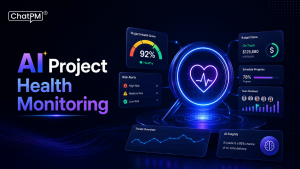
Interactive dashboards provide instant visibility into project health, deadlines, risks, and team performance. Managers can make informed decisions quickly.
4. Simple User Experience
An intuitive interface reduces the learning curve for new users. Employees become productive sooner without extensive technical training.
5. Scalable for Growing Businesses
Whether managing a single department or multiple business units, ChatPM adapts to changing project requirements while supporting long term growth.
Ready to Make Your Next Software Transition Successful?
Every software implementation is an opportunity to improve collaboration, productivity, and project visibility. When businesses focus on planning, communication, employee training, and continuous support, the transition becomes smoother and employees quickly adapt to new ways of working.
ChatPM helps organizations simplify every stage of software adoption with AI-powered project management, centralized collaboration, real-time reporting, and user-friendly workflows. If you are planning your next project management upgrade, ChatPM can help your team transition confidently while maintaining productivity from day one.
FAQs
1. How long does it take to onboard a teamtonew project management software?
The timeline depends on your team size, project complexity, and training approach. Most businesses can complete onboarding within a few weeks by introducing the software gradually and providing continuous support throughout the transition.
2. What is the biggest challenge when switching project management software?
Employee resistance is often the biggest challenge. Clear communication, practical training, leadership support, and explaining the benefits of the new platform help teams adapt faster and reduce disruptions during implementation.
3. Should all projects be moved to the new software at once?
No. A phased migration is usually the safer approach. Moving projects in stages allows teams to identify issues, gather feedback, and make improvements without affecting ongoing work or business operations.
4. How can businesses measure successful software onboarding?
Success can be measured through user adoption rates, project completion times, employee feedback, task completion, collaboration levels, and overall productivity improvements after the new software is fully implemented across the organization.
5. Why is ChatPM a good choice for project management software onboarding?
ChatPM simplifies adoption with an intuitive interface, AI powered assistance, centralized collaboration, and real time reporting. These features help teams learn faster, improve communication, and maintain productivity during the transition.