Key Takeaways
- 01
Project organization tools centralize workflows and eliminate scattered communication gaps. - 02
Clear task ownership removes confusion and keeps teams directly accountable. - 03
Automation handles repetitive work so teams focus on actual delivery. - 04
Visual dashboards help teams spot bottlenecks before they affect timelines. - 05
The right tool aligns daily tasks with broader organizational goals.
Managing multiple projects at once is harder than it looks. Teams lose hours every week to miscommunication, missed deadlines, and scattered task lists. Project organization tools solve this by centralizing workflows, aligning responsibilities, and giving everyone a single source of truth. When the right systems are in place, teams stop reacting and start executing with full clarity.
Still figuring out which tools actually fit your team’s workflow? Don’t worry, we’ve got you covered. In this blog, we break down how these tools impact productivity, what features to prioritize, and how to make them work for your specific team structure. By the end, you will know exactly where to start. So, let’s keep reading further!
Searching for a more intelligent approach to overseeing teams and large-scale projects in Saudi Arabia? Find out how ChatPM Pro can improve your operations by scheduling a demo right now.
What are project organization tools?
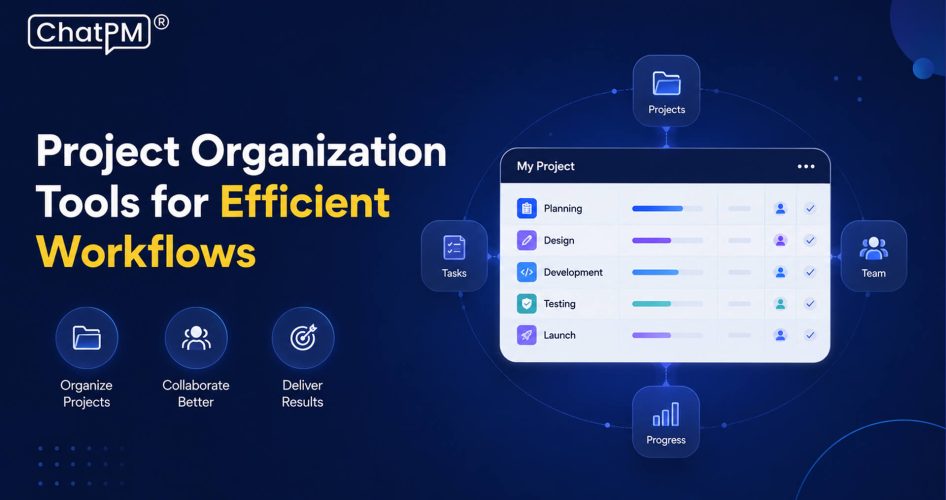
Project organization tools are digital platforms designed to help teams plan, execute, and monitor their work. They centralize tasks, deadlines, and communication into one location, breaking complex objectives into manageable workflows. This eliminates silos, reduces administrative busywork, and keeps every team member aligned throughout the project lifecycle.
Most project organization software includes built-in views like Kanban boards, Gantt charts, and project calendars to visualize workloads and track dependencies. Core features such as task assignment, time tracking, file sharing, and automated reporting always give every stakeholder clear visibility into project progress.
Key Components at a Glance
1. Task Management: Break projects into actionable tasks with clear deadlines.
2. Workflow Visualization: Use boards and charts to track project progress.
3. Team Collaboration: Centralize file sharing, comments, and task discussions.
4. Tracking and Reporting: Monitor KPIs, time, budgets, and resource allocation.
5. Automation and Integration: Connect tools and automate repetitive workflow triggers.
How do project organization tools improve team productivity?
Productivity does not drop because teams lack effort. It drops because the systems around them are broken. Here is how project organization tools fix that:
1. Single Source of Truth
Teams avoid scattered emails, lost documents, and fragmented spreadsheets by consolidating everything into one platform. All project files, comments, and milestones stay accessible to every stakeholder in real time.
2. Clear Ownership and Accountability
Assigning tasks with explicit due dates to individual users removes the confusion around responsibilities. Every team member knows exactly what they own and when it is due.
3. Automated Workflow Management
Routine duties like status updates, deadline reminders, and task handoffs are automated to save time. This reduces manual errors and keeps projects moving without constant supervision.
4. Visual Pipeline Transparency
Digital workspace tools use Kanban boards, Gantt charts, and custom dashboards to make project progress visible across the team. Blockages are identified faster before they affect delivery timelines.
5. Optimized Resource Allocation
Managers can view team capacity, balance workloads, and assign tasks based on availability and expertise. This prevents burnout and ensures no team member is over or under utilized.
6. Fewer Status Meetings
Real-time project updates and notes are constantly accessible, reducing the need for back-and-forth check-ins. Teams reclaim hours that would otherwise go into repetitive status discussions.
7. Time and Progress Tracking
Built-in time tracking and reporting help employees prioritize tasks more effectively. Organizations can also identify process inefficiencies before they compound into larger problems.
8. Cross-Functional Alignment
Different departments and remote teams can track how their responsibilities connect to broader organizational goals. This keeps everyone moving in the same direction without constant managerial intervention.
Why do teams struggle without project organization tools?
1. Communication Silos: Project details get lost across emails and messaging apps.
2. Workflow Bottlenecks: Individual task lists create duplication and misaligned priorities.
3. Zero Visibility: No shared roadmap means overloaded team members go unnoticed.
4. Lost Accountability: Unclear task ownership makes deadlines fluid and untrackable.
5. Strategic Misalignment: Disconnected work prevents company objectives from reaching daily tasks.
What project organization tools are best for remote teams?
Remote teams do not struggle because of distance. They struggle because their tools were never built for it. Here are some of the best options for remote teams:
1. ChatPM:
An AI-powered platform that replaces traditional dashboards with conversational interfaces. It automates workflows, tracks tasks, and generates real-time reports from project kickoff to delivery.
2. Trello:
A visual workflow organization tool built around drag-and-drop Kanban boards. Best suited for teams that need simple, flexible task management without a steep learning curve.
3. Asana:
A robust project coordination tool designed for cross-functional teams managing multiple milestones. It keeps deadlines, dependencies, and team responsibilities visible in one place.
4. Monday.com:
A highly customizable platform with powerful built-in automations and visual workflow templates. Teams can build and adjust their entire project structure without any technical setup.
5. ClickUp:
A feature-heavy workflow organization tool covering everything from mind mapping to time tracking and document creation. Teams that need an all-in-one solution without switching platforms will find it most valuable.
Ready to Transform the Way Your Team Works?
Project organization tools are no longer optional for teams that want to stay competitive. They bring structure to complex workflows, reduce communication gaps, and give every team member the clarity they need to deliver consistently. When teams move from scattered processes to centralized systems, productivity does not just improve gradually, it shifts entirely.
Choosing the right team task tracking app comes down to understanding your team’s specific needs, whether that is visual pipeline management, async collaboration, or automated reporting. Most modern tools cover the basics, but very few combine AI-driven intelligence with conversational simplicity. ChatPM does exactly that, replacing rigid dashboards with a smarter, faster way to manage projects from start to finish.
Frequently Asked Questions
1. Are project organization tools suitable for small teams?
Yes, small teams benefit just as much as large ones. Even a two-person team gains clarity on priorities, deadlines, and task ownership without relying on back-and-forth messages.
2. How long does it take to implement a project organization tool?
Most tools are set up within a day or two. The real time investment is getting the team aligned on how to use it consistently, which usually takes one to two weeks.
3. Do project organization tools work across different time zones?
Yes, that is actually one of their strongest use cases. Async-friendly features like task comments, status updates, and shared timelines keep distributed teams aligned without requiring everyone online at the same time.
4. Can project organization tools replace project managers?
No, they support project managers but do not replace them. These tools handle the operational side, while project managers still drive strategy, stakeholder communication, and critical decision making.
5. What is the difference between a project management tool and a project organization tool?
Project management tools focus on the full lifecycle including budgets, resources, and risk. Project organization tools specifically focus on structuring tasks, workflows, and team visibility to keep daily execution on track.