Key Takeaways
- 01
Consulting firms need centralized control across multiple client engagements. - 02
Strong tracking connects project progress with risks and resources. - 03
Client visibility helps maintain trust and delivery confidence. - 04
AI can identify project risks before they escalate. - 05
ChatPM connects project management with intelligent project insights.
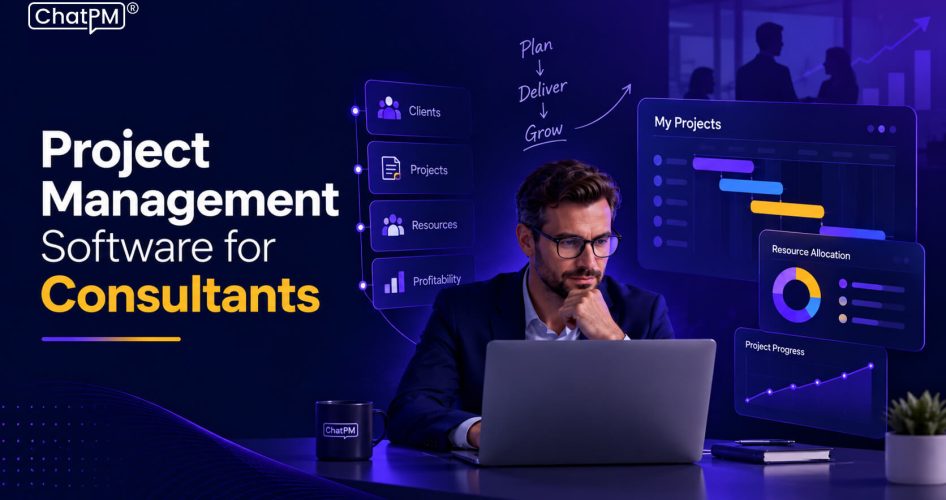
Consulting engagements rarely follow a predictable path. Teams coordinate deadlines, deliverables, budgets, resources, client expectations, meetings, and approvals, often across several projects at once. Project management software for consultants brings these moving parts into one structured environment, helping firms maintain control without adding unnecessary administrative work.
The challenge grows when project information sits across spreadsheets, emails, documents, and separate trackers. Small gaps in communication can quickly affect timelines, client confidence, and project margins. A centralized approach gives consulting teams clearer visibility and stronger control over every engagement. In this blog, we explore how consulting project management software can improve delivery, tracking, and client collaboration.
Why Do Consulting Firms Need Specialized Project Management Software?
Consulting firms manage client engagements with different scopes, timelines, teams, and expectations. A specialized platform helps bring these moving parts together, giving project leaders better control over delivery.
1. Multiple Client Projects
Teams often manage several engagements simultaneously, making centralized visibility essential for priorities, deadlines, and progress.
2. Resource Allocation
Consultants may work across multiple accounts, requiring clear visibility into availability, workload, and assignments.
3. Scope Control
Defined deliverables and milestones help teams identify scope changes before they affect timelines or project budgets.
4. Client Collaboration
Structured communication, approvals, documents, and updates keep clients aligned without relying on scattered email threads.
5. Budget Visibility
Tracking planned and actual effort helps firms identify budget pressure early and protect project profitability.
6. Project Risks
Early visibility into risks, issues, and dependencies allows teams to address potential delivery problems before they escalate.
Consulting Project Tracking: From Tasks to Project Health
Effective project tracking should give project leaders a clear picture of overall engagement health, not simply show completed tasks. It connects progress, deadlines, resources, risks, budgets, and client actions to help teams spot concerns early.
1. Track Milestones
Monitor key deliverables and deadlines to identify schedule delays before they affect client commitments.
2. Monitor Resources
See consultant workloads and availability to prevent over-allocation across concurrent engagements.
3. Identify Risks
Track risks, issues, and dependencies that could disrupt delivery or require management attention.
4. Measure Progress
Compare planned work with actual progress to understand whether an engagement is moving as expected.
5. Follow Client Actions
Keep approvals, decisions, and pending client inputs visible so external dependencies do not stall projects.
6. Review Project Health
Combine critical project signals into a clear view that helps managers prioritize the engagements needing immediate attention.
How Consulting Project Management Software Improves Client Delivery?
Strong client delivery depends on keeping internal teams, project commitments, and client expectations aligned. Project management software for consultants helps create this connection by giving teams a shared view of work and making important project information easier to manage.
1. Keep Engagements on Track
Centralized timelines and milestones help teams manage commitments and address delays early.
2. Improve Client Visibility
Clear project updates give clients a better understanding of progress, upcoming deliverables, and pending decisions.
3. Reduce Administrative Work
Automated reminders, reports, and action tracking reduce repetitive coordination and manual follow-ups.
4. Control Scope Changes
Teams can document requests, approvals, and deliverables to keep project expectations clearly defined.
5. Strengthen Team Coordination
Shared project information keeps consultants aligned on responsibilities, priorities, and upcoming deadlines.
6. Protect Project Margins
Better visibility into effort, budgets, and progress helps managers respond before small issues become costly overruns.
How to Choose the Right Project Management Software for Consultants?
Choosing the right platform requires looking beyond task management and considering how consulting teams actually deliver client engagements. The right system should improve visibility, coordination, resource use, and decision-making without creating another layer of administrative work.
1. Understand Your Workflow
Choose a platform that fits your engagement lifecycle, including planning, delivery, approvals, and reporting.
2. Check Multi-Project Visibility
Managers should be able to monitor several engagements while quickly identifying delays, risks, and resource constraints.
3. Evaluate Resource Planning
Look for clear workload and availability views that support smarter consultant allocation across projects.
4. Review Client Collaboration
Ensure teams can share relevant updates, documents, approvals, and actions while maintaining control over internal information.
5. Assess Reporting
Strong dashboards should turn project data into useful insights on progress, costs, schedules, risks, and overall engagement health.
6. Consider Scalability
The platform should support growing project volumes, larger teams, and increasingly complex client engagements without disrupting established workflows.
How AI Is Changing Project Management Consulting?
AI can help consulting teams move beyond manual project administration and respond to project risks earlier. Instead of simply storing project information, intelligent systems can analyze it, identify patterns, and support faster decisions.
1. Predict Project Risks
AI can analyze project signals to identify potential delays, resource constraints, and emerging delivery risks.
2. Automate Routine Work
Repetitive updates, reminders, meeting actions, and reporting can be handled with less manual effort.
3. Improve Resource Planning
AI can assess workloads and project requirements to support more informed consultant allocation.
4. Surface Key Insights
Managers can use natural-language queries to quickly find important project information without searching across multiple records.
5. Support Faster Decisions
AI-driven insights can help project leaders understand emerging issues and act before they affect client commitments.
6. Maintain Human Oversight
AI should support project managers with recommendations and insights while keeping important decisions under human control.
Generic vs. AI-Powered Project Management for Consulting Firms
Traditional project management tools can organize tasks, deadlines, and project information, but consulting firms often need deeper visibility into risks, resources, client commitments, and project health. AI-powered project management software for consultants can analyze this information and help teams act on important signals sooner.
| Consulting Need | Generic Project Management | AI-Powered Project Management |
|---|---|---|
| Project Tracking | Tracks tasks and milestones | Identifies patterns and emerging delays |
| Risk Management | Requires manual risk updates | Helps predict potential project risks |
| Resource Planning | Shows assigned workloads | Supports smarter allocation using project data |
| Client Projects | Stores client project information | Surfaces important client and project insights |
| Reporting | Relies on manually prepared reports | Automates insights and project summaries |
| Decision Making | Managers review data manually | AI highlights issues requiring attention |
| Project Queries | Users search through project records | Natural-language queries provide faster answers |
| Administrative Work | Teams handle repetitive updates | AI can automate routine project activities |
For consulting firms, the difference is ultimately about moving from recording project activity to understanding project conditions. AI adds an analytical layer that can help managers identify what needs attention, why it matters, and where action may be required.
How ChatPM Supports Consulting Project Management?
Consulting firms need a platform that connects planning, execution, communication, and project oversight in one place. Project management software for consultants becomes more valuable when it can also help teams interpret project data and respond to issues before they affect delivery.
1. Manage Project Scope
Keep scope, goals, deliverables, and milestones connected throughout the engagement.
2. Control Schedules and Costs
Monitor schedules, project costs, and progress to identify potential overruns early.
3. Track Risks and Issues
Maintain visibility into risks, issues, dependencies, and the actions needed to resolve them.
4. Capture Meeting Actions
Convert meeting discussions into clear actions, owners, and follow-ups for stronger accountability.
5. Improve Resource Planning
Understand team workloads and project requirements to support better resource allocation.
6. Use Intelligent Insights
Access dashboards and natural-language analytics to understand project status and make faster, informed decisions.
Can Your Consulting Firm Deliver Every Project With Greater Control?
The right project management approach connects schedules, resources, risks, budgets, client communication, and deliverables in one place. With better visibility across projects, consulting teams can reduce administrative gaps, respond faster to issues, and deliver stronger client outcomes consistently.
ChatPM brings these capabilities together through intelligent project management built for complex engagements. Teams can manage scope, costs, schedules, risks, meetings, actions, documents, goals, and dashboards while using AI-powered insights for faster decisions. With centralized visibility, ChatPM helps consulting firms coordinate work and manage projects confidently.
FAQs
1. How does project management software for consultants improve project profitability?
It connects costs, resources, schedules, and progress, helping managers spot budget pressure early and protect engagement margins.
2. Can AI help consulting teams identify delivery problems earlier?
Yes, AI can analyze project signals, highlight emerging risks, and help managers focus attention where intervention may be needed.
3. What makes project health more useful than simple task tracking?
Project health combines schedules, resources, risks, costs, and dependencies, giving managers a clearer view of overall engagement performance.
4. How can consulting firms manage several client engagements efficiently?
Centralized project information provides portfolio-wide visibility, helping managers balance resources, monitor commitments, and prioritize projects requiring attention.
5. Can intelligent project management reduce administrative pressure on consultants?
Automation can handle repetitive updates, reminders, meeting actions, and reporting, allowing consultants to spend more time on client-focused work.